
Mass Payment Overview
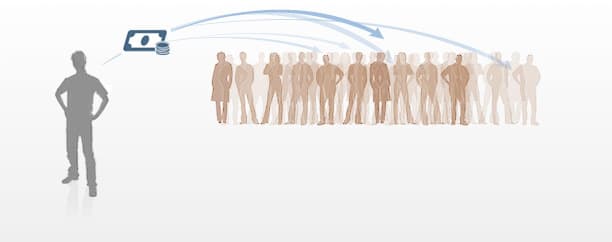
Send rebates and rewards to everyone instantly at once
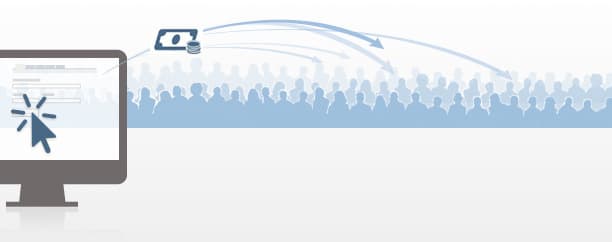
Faster and easier than cheques
No charge for recipient, low fee for sender
Web upload
- Upload your list of recipients to PayPal
- Send the payments with one click
- Recipients get their money quickly
API
- Create the payment file
- Call the Mass Payment API
- Get an Instant Payment Notification
How much does it cost to send a Mass Payment?
You pay fees only when you send a Mass Payment.

Key benefits
Pay your recipients easily and quickly with our online mass pay solution.
Convenient
- Send payments to multiple recipients at once.
- Send payments to recipients in different countries and currencies.
- Faster and easier than writing cheques.
- Recipients get paid quickly online.
- Track payments easily.
Competitive pricing
- Pay fees only when you send a payment.
- Free for recipients.
- Competitive pricing.
Flexible
Here are some of the many ways our merchants can use Mass Payment:
- Affiliate commissions.
- Customer rebates.
- Pay-to-surf rewards.
- Employee benefits.
- Survey incentives.
How it works
Before sending money to a group, please contact PayPal Customer Service or your account manager to make sure your PayPal account is eligible.
1. You need a balance in your PayPal account
You'll need a balance or money in your PayPal account to send mass payments. If the amount isn't enough to cover the mass payment you want to send, you can top up your PayPal account by transferring money from your bank account.
Additionally, make sure that you have a PayPal Premier or Business account and the currency of your PayPal balance matches the currency of the mass payment you're sending.
2. Create a list of payment and recipient details Learn More
Include the following information in a text file like Notepad, or a tab-delimited file like Excel:
- Payment amounts and currency.
- One currency type per file.
3. Upload the file
Log in to your PayPal account and upload the file.
4. Send your payment
After you've reviewed your payment information, click Submit. You'll receive an email when the payment is complete.
5. Recipients get paid
Your recipients will receive an email to let them know you've sent a payment.
If they don't have a PayPal account, we'll send them instructions on how to create a PayPal account so that they can receive the payment.
You can use the recipient information stored in your database to send automated payments to up to 250 recipients.
1. Set up the payment file
Be sure to include the email address of each recipient, the payment amount and the currency code.
2. Call the Mass Payment API
You can set up an API call to send a payment to up to 250 recipients.
Go to the Mass Payment API page to learn more.
3. Instant Payment Notification
Get your payment status immediately with Instant Payment Notification. We'll email you when you send the payment from your account. You'll get a second email when your recipients receive the payment.
Learn more about Instant Payment Notification
Pricing and currencies
Competitive pricing for payments and currency conversions
- No set-up fees.
- No monthly costs.
- Recipients don't pay fees to receive your payment.
- Senders pay a small fee for each transaction.
Automatic currency conversion
When your recipient's currency is different from your own, we automatically convert your payment at competitive rates.
For more information about where payments can be received, see the PayPal Worldwide page.
Fraud reduction
Automatic fraud screening
All Mass Payments benefit from our industry-leading fraud protection and powerful 128-bit SSL encryption.
Reporting and back office
Simple record keeping for all payments
Email confirmation
Receive an email to confirm your payment was sent.
Online records
View your payment history securely and conveniently in your PayPal account.
Downloadable logs
Export your transaction history to Excel, QuickBooks or Quicken.
Or, your developer can use our Instant Payment Notification APIs to pass your payment status directly to your accounting system.
Support
We're available to help
Help Centre
Find answers to common questions about PayPal in our Help Centre.
Contact Us
If you don't find answers you need from Help Centre, or you have question about your existing account, our Customer Service agents can help you. Contact us.
PayPal Certified Partner Support
Service you may need for your business from an ecommerce service provider, payment gateway, web hosting, community site, web design house and shopping carts provider. Learn more on how our local partners can serve you.